 Fantasia
Help center / Stories
Manga
Write a story in one line and get a lettered manga, webtoon or comic page with your characters. About 3 credits a panel; words edit free.
- Price
- About 3 credits a panel
- Panels
- 4, 5, 6 or 8 a page
- Looks
- Manga, Color manga, Webtoon, Comic
- Story writing
- Free
When to use it
- You want a lettered comic page or a webtoon strip from a one-line idea.
| If you want to | Use instead |
|---|---|
| Moving anime clips | Anime |
Make a manga page
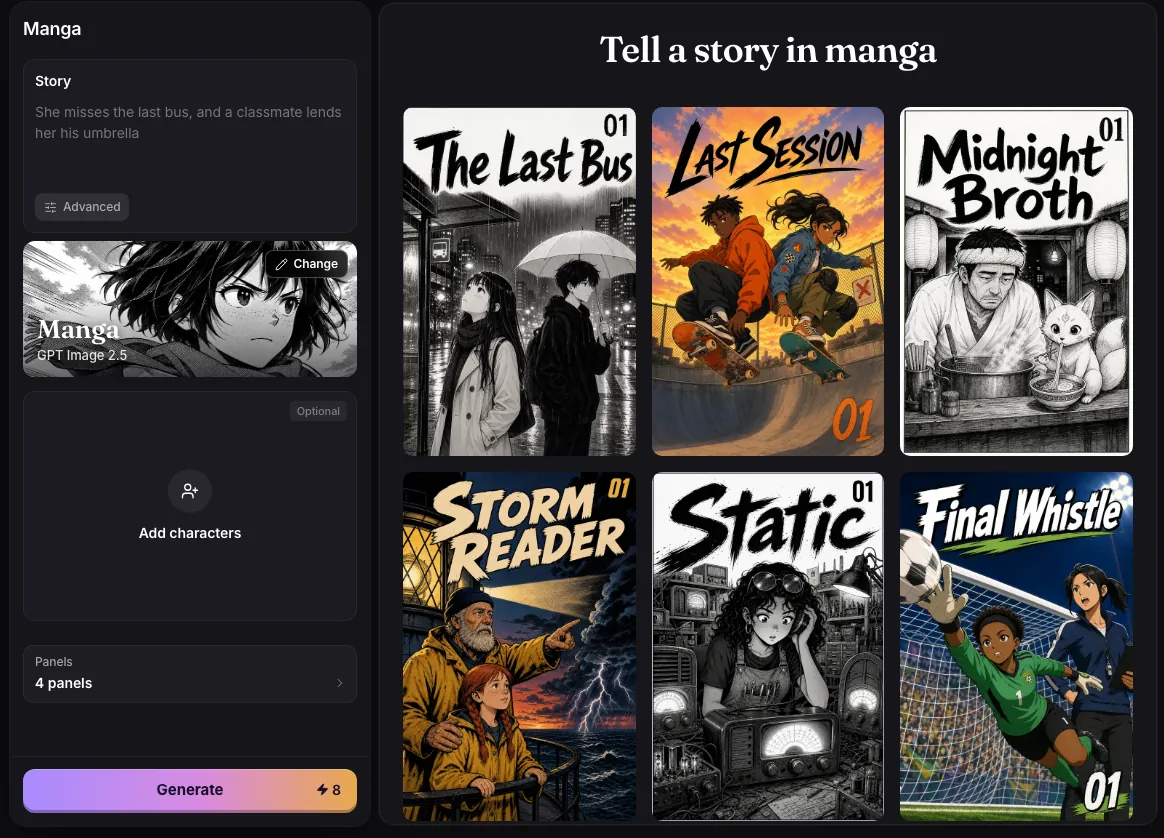
- Pick a look: Manga (black ink and screentone), Color manga, Webtoon or Comic.
- Add up to 4 characters from Assets, a photo, or a written description.
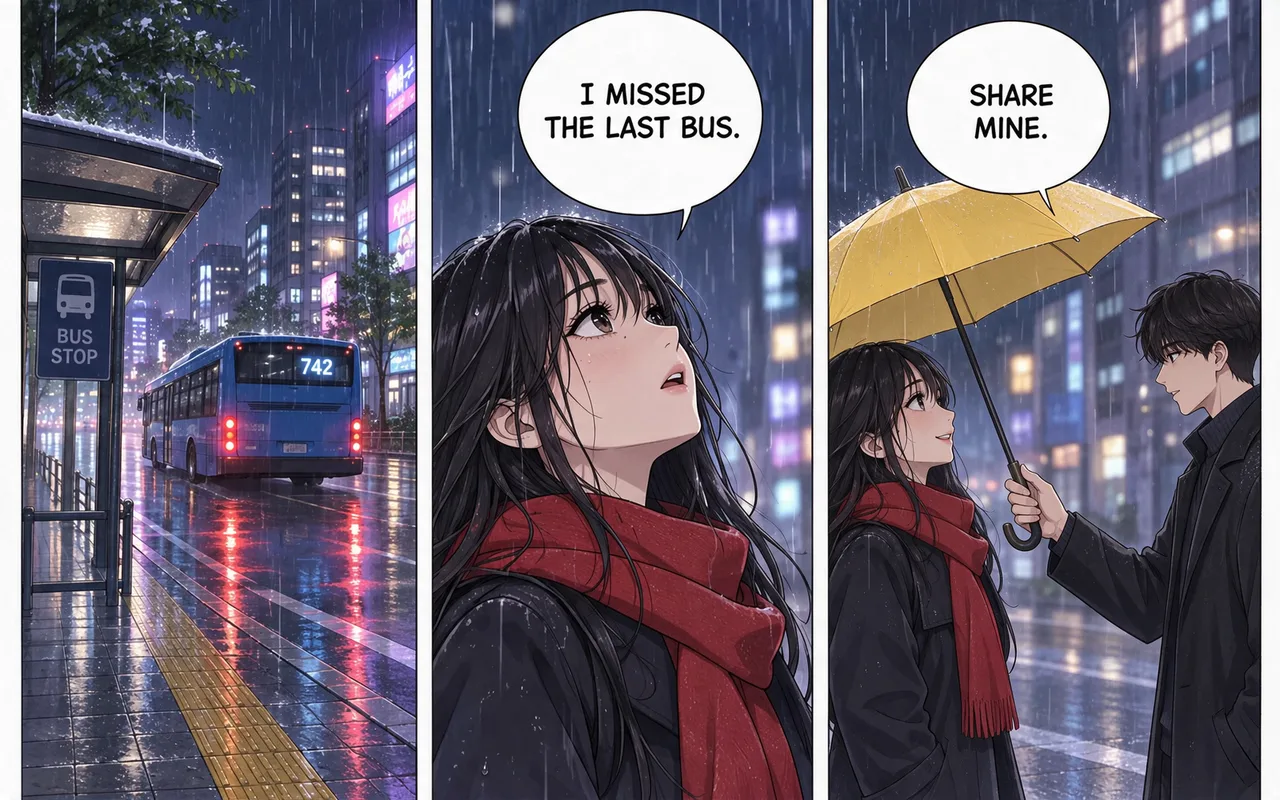
- Write the Story idea in up to 500 characters, for example “She misses the last bus, and a classmate lends her his umbrella”.
- Choose 4, 5, 6 or 8 Panels and press Generate. The story is written for free, then each panel is drawn.
- Press Next page to continue the story from the last panel.
What it costs
Each panel is one picture: 3 credits when it shows one of your characters, 2 when it does not. A 4 panel page with a character costs 12 credits; 8 panels cost 24. Writing the story costs nothing.
Editing the words
The pictures are drawn without text, and Fantasia letters every word on top, so spelling is always right and changing words never costs credits. Each panel takes up to 4 lines of up to 140 characters, as Says, Shouts, Thinks, Aside or Narrator, plus a caption such as “Ten minutes later” and a sound effect, which reads loud in capitals and quiet in lowercase. Drag a line to move its balloon.
Changing what a panel shows, its shot (Auto, Wide, Medium, Close-up or Tall) or the look means drawing it again, which is charged again. Advanced lets you write every panel by hand.
Saving and posting
Download saves the page as one tall JPEG. The For WEBTOON button cuts the strip into numbered 800 by 1280 pictures in a zip, ready for WEBTOON Canvas. Save to Assets keeps it with your uploads.
Examples
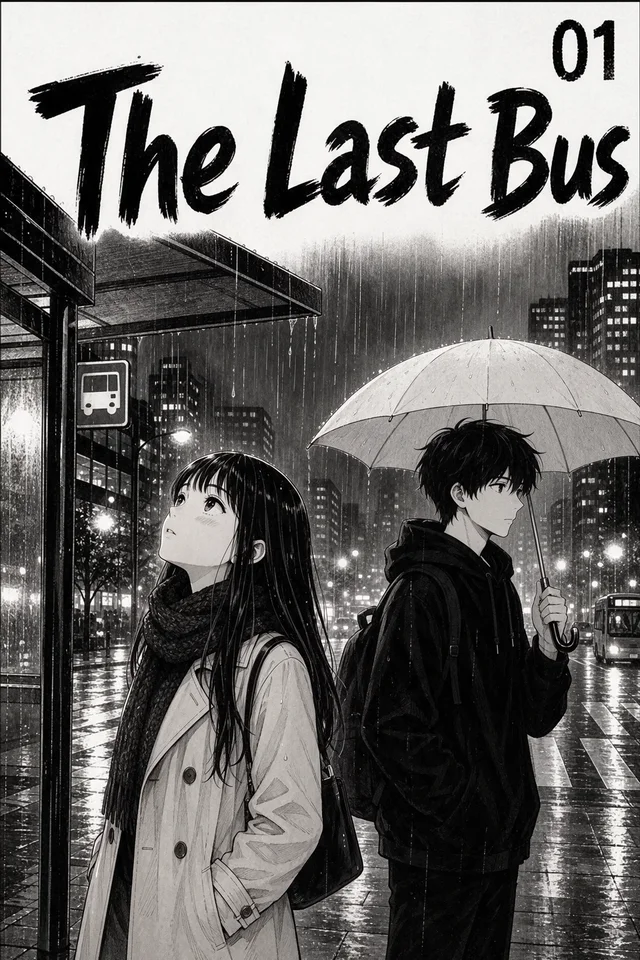
The Last Bus
Prompt
She misses the last bus, and a classmate lends her his umbrella
- Look
- Manga
- Lettering
- Added by Fantasia, free to edit
Common issues and fixes
| What you see | What to do |
|---|---|
| Describe at least one panel first. | Describe a panel (what the camera sees), then press Generate. |
| Another character is already called Mira. | Pick a different name. |
| Couldn’t put the pages together. | Try again; the pictures are still in Assets. |
| Something went wrong. Try again. | Press Generate again. |
Questions
Can I use my own characters in the manga?
Yes. Add up to 4 from Assets or as photos. Each one’s photo goes with every panel that names them, so they are drawn alike from panel to panel; type @ and a name in a panel to place someone.
How many panels can a page have?
4, 5, 6 or 8, and Next page keeps the story going.
Does editing the dialogue cost credits?
No. Words, captions and sound effects are lettered by Fantasia and can be changed for free.
Related
Updated November 18, 2026. Prices are in credits, as checked on that day.