 Fantasia
Help center / Video
Cinema Look
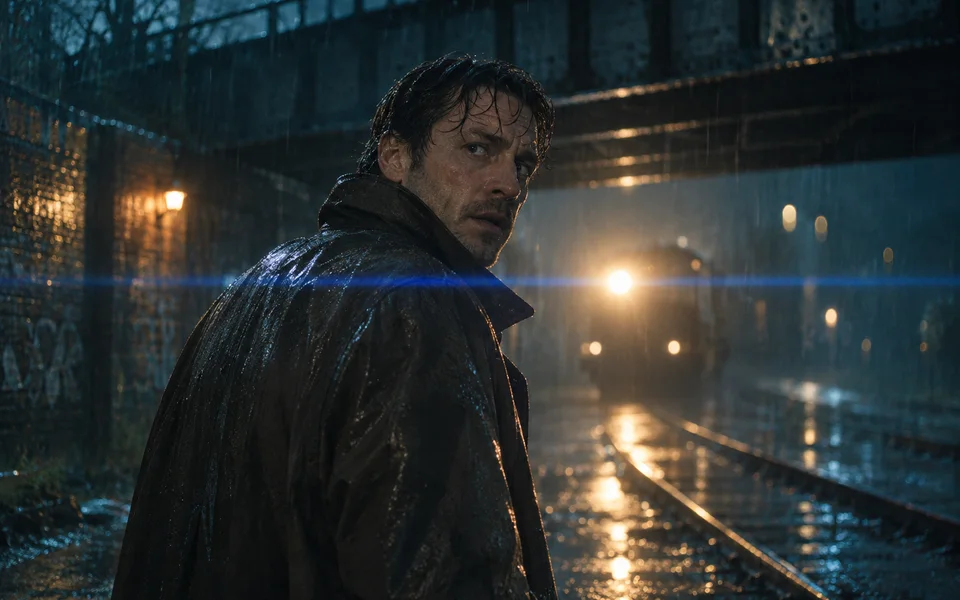
Give a video or a picture the look of a real film: genre, era, camera, lens, focal length, aperture, lighting, colour and camera move, picked like a director.
- Price
- Same as Create Video; 10 credits a second to start
- Makes
- Video or pictures
- Choices
- Genre, era, camera, lens, light, colour, move
When to use it
- You know the film look you want and would rather pick it than describe it.
| If you want to | Use instead |
|---|---|
| Full control in your own words | Create Video |
How it works
Cinema Look is Create Video and Create Image with a film look added after your prompt. Start from a named look, such as Classic film, Black and white noir, Golden hour western, Neon sci-fi, 1970s summer, Pastel romance or Cold blue horror, or set each part yourself; Auto leaves a part to the model.
- Genre: Drama, Noir, Comedy, Horror, Action, Epic, Sci-fi, Western, Romance.
- Era: 1920s, 1950s, 1960s, 1970s, 1980s, 1990s, Present day or Future.
- Camera: Digital cinema, 35mm, 70mm or 16mm film, Large format.
- Lens: Anamorphic, Vintage prime, Modern prime, Macro, Tilt-shift, Swirl bokeh, with a focal length from 14mm to 85mm and an aperture from f/1.4 to f/8.
- Lighting and Colour: from Golden hour and Neon to Teal and orange, Bleach bypass and Sepia.
- Camera move for video: from Static and Dolly in to Whip pan, Dolly zoom and Drone orbit.
Video starts on Wan 3.0 at 16:9 and 720p, 10 credits a second; any Create Video model can be picked.
Common issues and fixes
| What you see | What to do |
|---|---|
| Describe the shot first. | Type the scene (the look is added for you). |
| This prompt can’t be used. Try other words. | Reword the prompt. |
| Needs 79 credits. You have 12. | Top up, or use fewer seconds or a cheaper model. |
| This model isn’t available right now. Pick another model. | Pick another model. |
| Couldn’t start the video. Try again. | Press Generate again. |
Questions
How much does a Cinema Look video cost?
The same as Create Video for the model you pick. On the starting model, Wan 3.0 at 720p, it is 10 credits a second: 50 for 5 seconds.
Related
Updated November 18, 2026. Prices are in credits, as checked on that day.